

- Skill
- Home Row
- Grades
- 2–5
- Released
- Nov 19, 2026
Practice home row keys while jumping over obstacles!
Letter Jump Adventure is a running game for learning the middle row of the keyboard. A runner trots down a trail, and each obstacle on the way carries one letter. Press that letter and the runner hops over it.
How to play Letter Jump Adventure
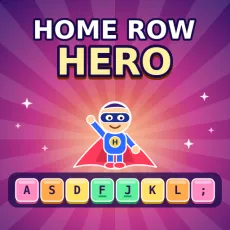
Put your left fingers on A S D F and your right fingers on J K L ;. Watch the next obstacle as it comes closer, then press the key shown on its sign. If you press the right one, the runner jumps.
Press the wrong key, or let an obstacle go by, and the runner trips and slows down for a few seconds. After that it picks up speed again. Nothing ends the run, so a mistake is just a small delay.
The keys at the bottom of the screen light up to show which one comes next. Each key has the color of the finger that should press it, which helps you learn the pairs over time.
Tracks and medals
The game has four tracks, and every track is a bit longer than the one before. Track 1 uses only F and J. Track 2 adds D and K, Track 3 adds S and L, and Track 4 mixes all eight home row keys.
A bar at the top fills up as you run. Cross the finish line without tripping and you win a gold medal. Three trips or fewer earns silver. You can run any track again to improve.
Controls
- A S D F J K L ; : press the letter on the obstacle
- Esc: pause the run
Skills practiced
Each run gives you a little practice with the basics of touch typing:
- Keeping your fingers on the home row
- Knowing which finger belongs to which letter
- Pressing keys at an even pace
- Getting comfortable before moving on to words
Because Track 1 has just two letters, it’s an easy place to begin. You add more keys only when you feel ready.