

- Skill
- Sentences
- Grades
- 3–5
- Released
- Nov 18, 2026
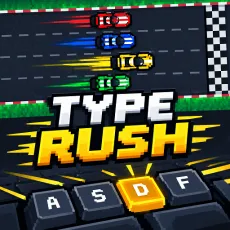
A racing game to improve typing speed and accuracy.
Speed Racer is a typing game with a racing theme. Your car runs faster when you type faster. A short line of words shows up above the car, and you type it letter by letter. Each right letter pushes the car forward.
A race lasts 45 seconds. If your car gets to the 600-meter mark before the time is up, the race ends early. While you play, the screen shows your WPM (words per minute), your accuracy, the time you have left, and how far you’ve gone. You can look at these numbers during the race, then use them to pick a goal for the next one.
How to Play Speed Racer
All you need is a computer keyboard. Here’s how a race goes:
Read the text: Look at the line above your car so you know what to type.
Start typing: Press the keys in the same order as the letters. Every correct key moves your car ahead.
Finish phrases: When you complete a whole phrase, your car gets a small extra push.
Check the screen: Glance at your WPM, accuracy, time, and distance to see how close you are to the end.
End the round: The race stops at 45 seconds, or sooner if your car reaches 600 meters. After that, you can race again.
Skills Developed
Each race gives you practice with a few typing skills:
Typing speed: With more races, your fingers get quicker at finding the keys.
Accuracy: You learn to check each letter before you press it.
Full-keyboard practice: The lines use lots of different words, so you type with more than just a few keys.
Concentration: You have to read and type together while the clock keeps counting down.
Which Grade Levels Is Speed Racer Suitable For?
This game fits students in Grades 3 and 4 who already know their way around a keyboard and want to practice typing faster.
Some quick facts for teachers: the game is about Speed Typing and accuracy. It needs a computer with a keyboard. A race is 45 seconds at most, so it fits into a short class activity. Students see their WPM and accuracy after every round. The game shows a car on a race track with simple pictures, and nothing in it is meant to upset students.
At this age, many students start to notice their WPM number. Watching it change on the screen lets them see their own progress from one race to the next. It also helps to remind them that typing each letter the right way counts too.
Advice for Teachers and Parents
Teachers can bring in the game after students have learned the basic keys. Point out where the WPM and accuracy numbers are on the screen, then let students try two or three short races. Afterward, each student can say one goal for the next lesson.
Parents can sit next to their child during the first race and read the numbers together. A small goal works well, like making fewer mistakes before trying to go faster. A race doesn’t have to be quicker than the last one. Typing the right letters and keeping a steady rhythm are good results too.
Ready to Race?
Put your hands on the keyboard, read the first line, and type it one letter at a time. When the race is over, you can start a new one and try to be a bit more careful or a bit faster.